 Skip to content
Quick answer: how do I download the V3 Game app?
Open the V3 Game platform, tap “Download” on the red “Download App for Big Win” banner at the top, allow the install on Android and open the app; on iPhone use Safari’s “Add to Home Screen”. Only download from inside the platform, never from files sent in chats.
Android
How do I install the V3 Game app on Android?
The Android app is provided as an installable file from the Download banner, so your phone may ask you to allow installs from your browser.
- Open the platform. Tap the Download App button on this page.
- Tap Download on the banner. It is the red strip at the top of the home screen.
- Allow the install. If Android warns you, allow “install unknown apps” for your browser for this install only.
- Open the file. Tap the finished download and choose Install.
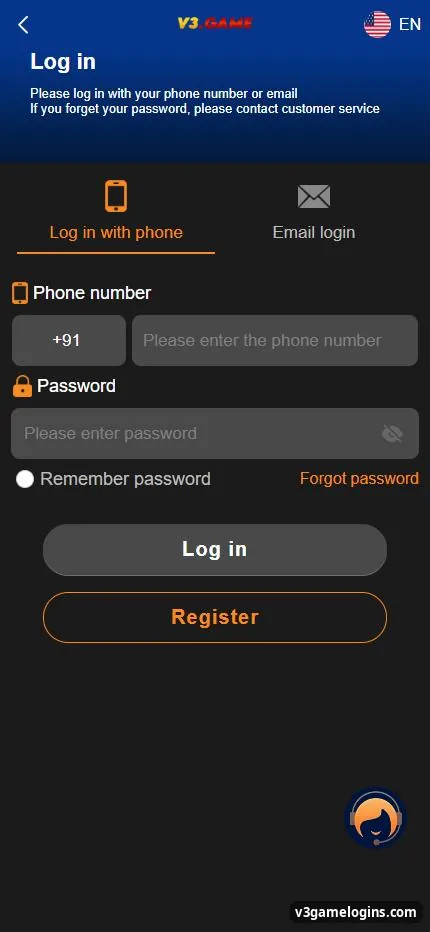
- Log in. Open the app and sign in with your phone or email and password.
- Turn the setting off again. Go back and disable “install unknown apps” for safety.
iPhone
Is there a V3 Game app for iPhone?
On iPhone you can add the V3 Game web app to your home screen; it opens full screen like an app.
- Open the platform in Safari.
- Tap the Share icon at the bottom of the screen.
- Choose “Add to Home Screen” and tap Add.
- Open the new icon and log in.
Inside the app
What does the V3 Game app look like?
The app opens on the same home screen as the website: Download banner, V3.GAME logo, Login, Register, Deposit and Withdraw buttons, and the Home, Promotion, Wallet and Account tabs.
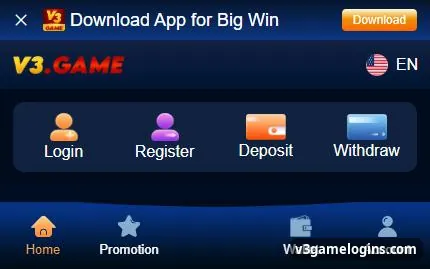
Because the app and the website share one account, your balance, history and settings are the same on both.
Decide
Should I use the app or the browser?
| Point | App | Browser |
|---|---|---|
| Install | Yes (Android file) | No |
| Speed to open | One tap | Type or bookmark the address |
| Updates | Reinstall when asked | Automatic |
| Fake copy risk | Higher if file came from a chat | Lower if the address is checked |
Safety
How can I tell if a V3 Game APK is fake?
Treat any APK shared on WhatsApp, Telegram or unknown websites as unsafe; install only from the Download banner inside the platform you reached through a checked link.
- A real app never asks for your UPI PIN, OTP or screen-sharing.
- Be careful with apps that request contacts, SMS or accessibility access they do not need.
- “Mod”, “hack” or “prediction” versions are scams.
- If you installed something doubtful, uninstall it and change your password.
More checks in the V3 Game real link guide, or go back to the V3 Game guide for India.
Fixes
Why won’t the V3 Game app install?
- “App not installed”: free some storage and remove any older version first.
- “Blocked by Play Protect”: Android warns about apps from outside the Play Store; decide carefully, or use the browser version instead.
- Download stops: switch between Wi-Fi and mobile data and retry.
- App opens blank: check your connection, then reinstall from the banner.
FAQ
V3 Game app questions
Is the V3 Game app on the Google Play Store?
Real-money gaming apps like this are usually offered as a direct download. Use the Download banner inside the platform.
Is the V3 Game app free?
Yes, downloading and installing costs nothing.
Do I need a new account for the app?
No. Log in with the same phone number or email and password.
How do I update the V3 Game app?
When the app asks for an update, download the new version from the banner and install it over the old one.
Can I play without the app?
Yes. The browser version has the same games and wallet.
How do I remove the app?
Long-press the icon and choose Uninstall. Your account and balance stay on the platform.
Key takeaways
- Get the app only from the Download banner inside the platform.
- Android: allow the install once, then switch the setting off.
- iPhone: Safari → Share → Add to Home Screen.
- App and browser share one account.
